
Windows updates are essential for the smooth functioning of your computer. They are released by Microsoft to fix bugs, enhance security, and add new features to the operating system. However, sometimes you may want to cancel a Windows update. Perhaps you are in the middle of something important, or the update is taking too long. So, can you cancel a Windows update? Let's find out.
Is It Safe To Cancel A Windows Update?

Before we answer this question, it is important to understand what happens when you install a Windows update. When you download an update, it is stored on your computer's hard drive. Then, during the installation process, the update modifies system files and registry settings. If you cancel the update during this process, it can cause problems with your computer's operating system.
So, while it is technically possible to cancel a Windows update, it is not recommended. It is much safer to wait for the update to finish installing.
How To Cancel A Windows Update
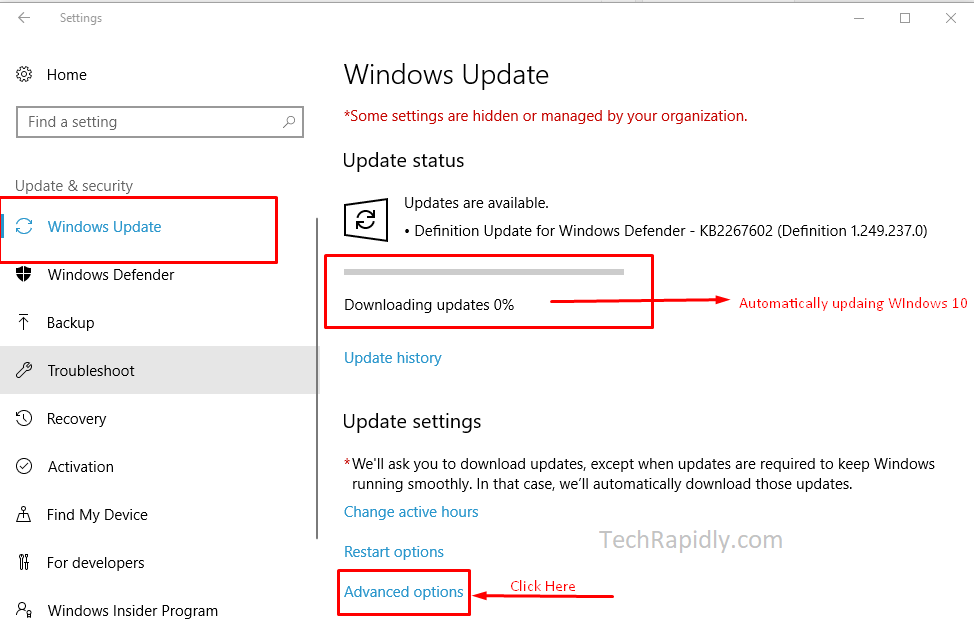
If you still want to cancel a Windows update, here's how you can do it:
- Click the Start button and select Settings.
- Select Update & Security.
- Select Windows Update.
- Click on the Update history link.
- Select the update you want to cancel.
- Click the Uninstall button.
Keep in mind that this will only uninstall the update that you selected. It will not prevent future updates from being installed.
How To Pause Windows Updates
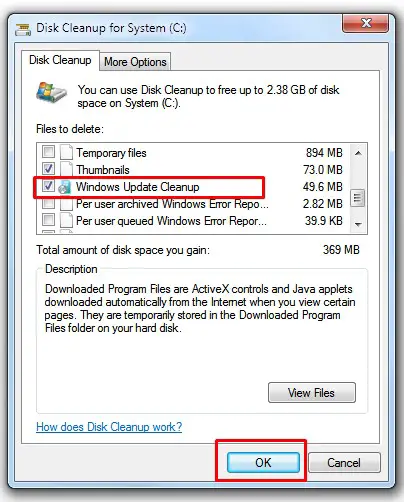
If you want to stop Windows updates temporarily, you can pause them. Here's how:
- Click the Start button and select Settings.
- Select Update & Security.
- Select Windows Update.
- Click on the Advanced options link.
- Toggle the Pause updates switch to On.
This will pause Windows updates for up to 35 days. After that, updates will resume automatically.
Why You Shouldn't Disable Windows Updates

Some people may be tempted to disable Windows updates altogether to avoid the hassle of installing them. However, this is not a good idea for several reasons:
- Security: Windows updates often include security patches that protect your computer from malware and other security threats. Disabling updates puts your computer at risk.
- Compatibility: Windows updates also include compatibility fixes that ensure your computer works with the latest software and hardware. Disabling updates can cause compatibility issues.
- Performance: Windows updates often include performance improvements that can make your computer run faster and more efficiently. Disabling updates can lead to a slower, less efficient computer.
Conclusion
In conclusion, while it is possible to cancel a Windows update, it is not recommended. Cancelling an update can cause problems with your computer's operating system. If you want to stop Windows updates temporarily, you can pause them. However, it is important to keep your computer up-to-date with the latest updates to ensure security, compatibility, and performance. Disabling updates is not a good idea.